This article highlights the 7 best alternatives to Wrike for your work management software needs. But before diving into those options, let’s first introduce Wrike.
Wrike, a project management software launched in 2003, is trusted by over 20,000 customers, including major companies like Google, Dell, and Snowflake.
With Wrike, you can:
- Organize your work efficiently
- Collaborate and communicate within tasks or project folders
- Create to-do lists
- Track team members’ workload
- Monitor the status of tasks
- Stay updated on all your activities through threaded views
- Access real-time reports
- Use timesheets to manage time
Wrike offers various views—such as board, list, table, Gantt chart, and filters—that can replace multiple tools like spreadsheets, emails, and team communication platforms. It streamlines your workflow, saving you time and boosting productivity. It also integrates seamlessly with third-party applications like Google Drive, Microsoft Teams, and Salesforce.
Wrike provides video tutorials to help you navigate the platform if you encounter any challenges.
While Wrike is a powerful project management tool that enhances collaboration and organization, it has drawbacks.
So why might you look for an alternative?
No software is perfect, and Wrike has its downsides:
- Pricing: Wrike can be expensive due to high per-user costs, and premium features—like cross-channel campaign insights, custom integrations, two-way sync, and Wrike Lock—come at an additional cost. These extra fees can quickly add up, making it a less budget-friendly option.
- Interface: Some users find Wrike’s interface unintuitive, making it difficult to use efficiently.
If Wrike’s pricing or user experience no longer meets your needs, this article offers the 7 best Wrike alternatives.
7 Best Wrike Alternatives
The following are the 7 best Wrike alternatives or competitors:
- Basecamp
- monday.com
- nTask
- ClickUp
- Smartsheet
- Process Street
- Jira
1. monday.com
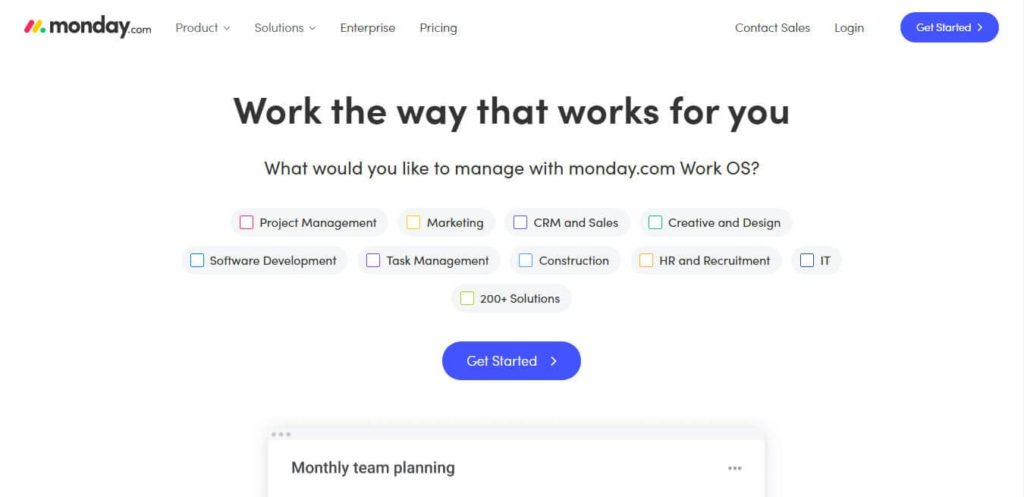
monday.com is a highly visual project management and collaboration tool designed to help teams organize tasks, track progress, and manage workflows. Its key strength lies in its customizable boards, where users can create tasks, assign deadlines, and view project timelines in different formats (Kanban boards, Gantt charts, calendars).
Monday.com offers a wide range of automation features, allowing repetitive tasks to be streamlined. It integrates with many popular tools, such as Slack, Google Drive, and Microsoft Teams. It also provides real-time reporting, making it easy for teams to stay on top of project statuses.
Due to its highly intuitive interface, Monday.com is more visually oriented and easier for non-technical users than Wrike. On the other hand, Wrike offers more advanced project management features such as in-depth reporting, workload management, and resource allocation, making it suitable for larger or more complex teams requiring detailed planning. Wrike focuses on granular control, while Monday.com focuses on flexibility and ease of customization.
Monday.com is a great choice for teams needing a quick setup and a user-friendly experience. Wrike is better suited for those needing more robust, enterprise-grade project management capabilities.
Ratings
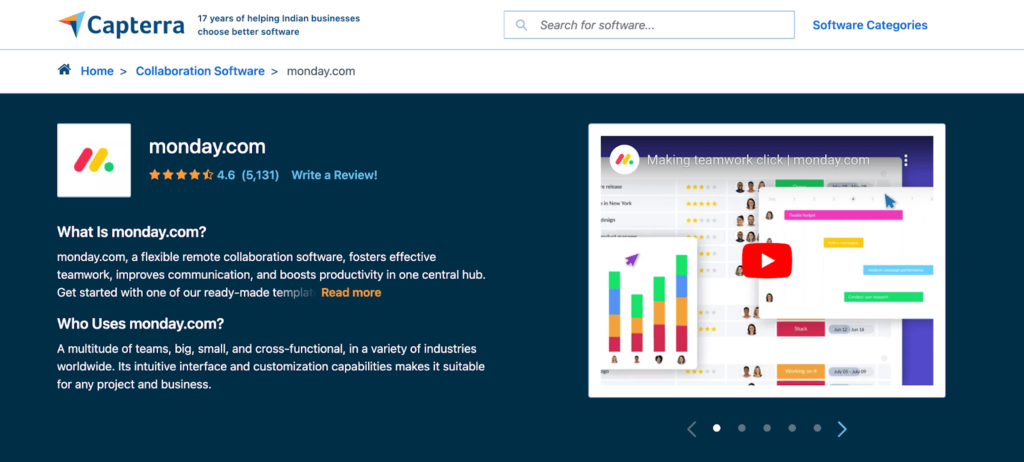
monday.com boasts an impressive rating on Capterra, with 4.6 out of 5 stars from 5,131 users.
Pros
- Customizable Dashboards: Highly customizable dashboards allow you to tailor the platform to your team’s needs.
- Intuitive Interface: The user-friendly interface makes it easy to onboard new users quickly.
- Automation: Built-in automation features streamline repetitive tasks, improving efficiency.
- Third-party Integrations: It integrates with many apps, such as Slack, Google Drive, and Zoom, for seamless workflows.
Cons
- Price: Pricing can be expensive for small teams, especially as you scale with additional features.
- Limited Reporting: The reporting features may not be as robust or detailed as in other tools.
- Complexity at Scale: As the team grows, the platform can become more complex to manage efficiently.
- Limited Offline Access: monday.com requires an internet connection, limiting its functionality when working offline.
monday.com Pricing
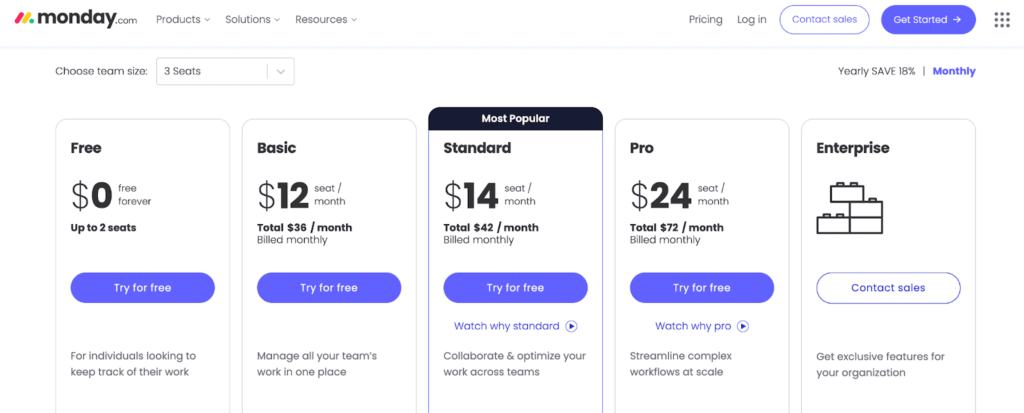
monday.com offers five pricing plans:
- Free: A newly introduced plan that is completely free of charge.
- Basic: This plan starts at 12 USD per seat per month.
- Standard: Pricing for this plan begins at 14 USD per seat per month.
- Pro: This plan starts at 24 USD per seat per month.
- Enterprise: For pricing details on this plan, please contact the monday.com sales team.
All plans come with an 18% discount when billed annually.
Let’s move to the second Wrike alternative.
2. nTask
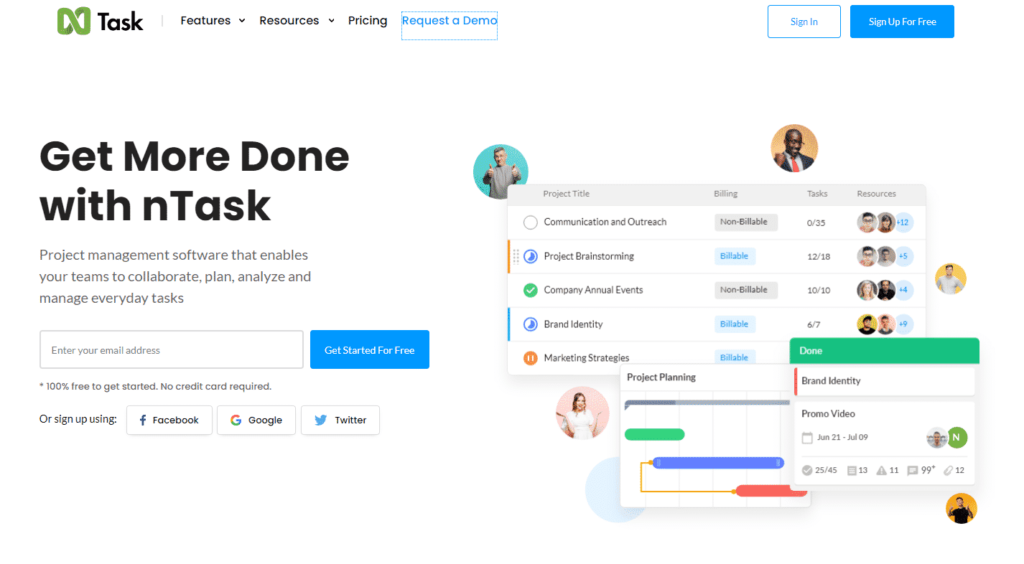
nTask is an affordable project management tool designed for small to medium teams. It offers essential features like task management, time tracking, meeting scheduling, issue tracking, and risk management. With a simple, user-friendly interface, nTask allows users to create tasks, assign team members, set priorities, track progress, and create project timelines using Gantt charts.
It also supports task dependencies and integrates with popular tools like Slack, Zoom, and Google Calendar, making it a versatile option for everyday project coordination.
When comparing nTask with Wrike, the two differ primarily in complexity and scalability. nTask is better suited for smaller teams or startups that need a straightforward project management tool without overwhelming complexity. Its simplicity, combined with low pricing, makes it an attractive option for teams with limited budgets or those who don’t need advanced project controls.
Wrike, on the other hand, is designed for more complex project management needs. It offers advanced features like workload management, detailed reporting, resource management, and extensive integrations. Wrike is ideal for larger teams or businesses that require comprehensive project tracking and a high level of customization.
While nTask is great for basic to intermediate needs, Wrike excels in more demanding, enterprise-level project environments.
Ratings
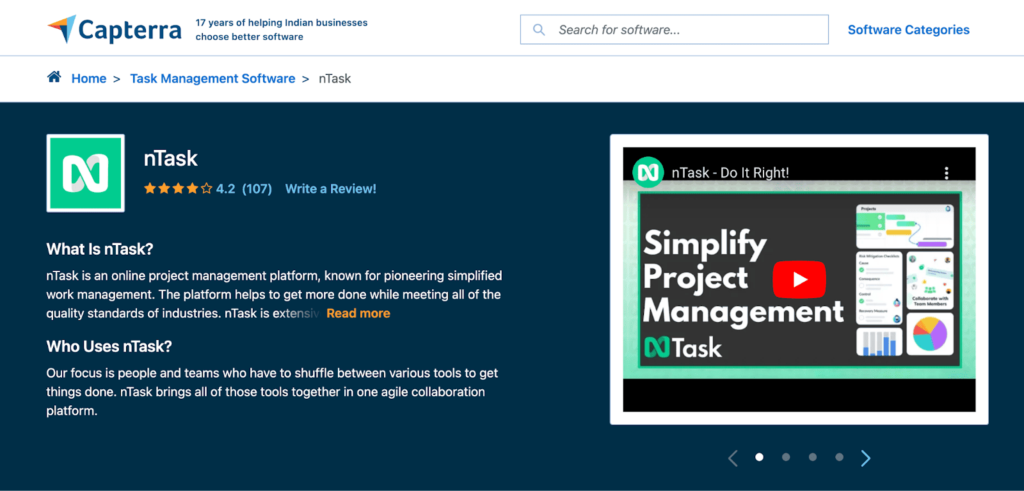
nTask has gotten a good 4.2 star rating out of 5 stars as given by 107 users.
Pros
- Affordable Pricing: nTask offers a budget-friendly pricing structure suitable for small teams and startups.
- Built-in Time Tracking: Includes built-in time tracking features for efficient task management and time monitoring.
- Multiple Project Views: Supports multiple views like list, grid, and calendar for flexible project visualization.
- Risk Management Module: Comes with a risk management module to help identify and mitigate potential project risks.
Cons
- Limited Customization: The platform offers limited customization options compared to other tools.
- Basic Reporting: Reporting features are relatively basic and may not meet the needs of larger teams.
- Slow Performance at Scale: Performance can slow down when managing large projects with multiple users.
- Limited Integrations: Fewer third-party integrations compared to competitors like Monday.com or Asana.
nTask Pricing
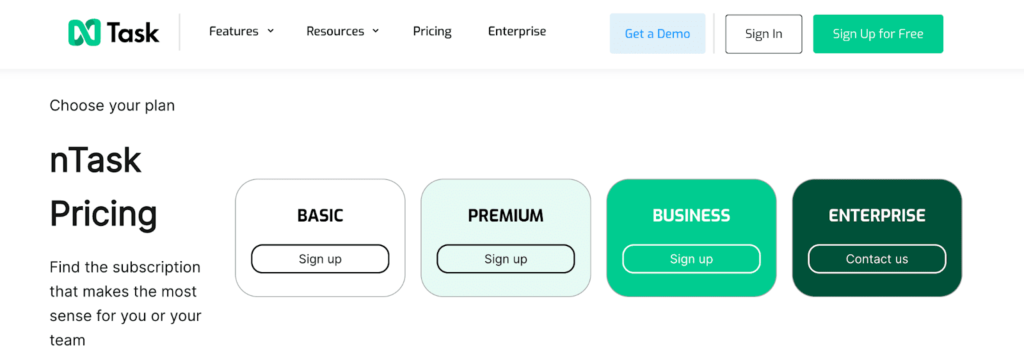
nTask offers four pricing plans:
- Basic: This is their free plan, providing essential features for users.
- Premium: This plan starts at 4 USD per month.
- Business: This plan is priced at 12 USD per month and includes additional features for growing teams.
- Enterprise: Please contact their sales team for pricing details on this plan.
If you opt for an annual subscription, you can enjoy discounted rates for the Premium and Business plans, which are 3 and 8 USD per month.
Read my nTask review.
Let’s move to the next Wrike competitor.
3. ClickUp
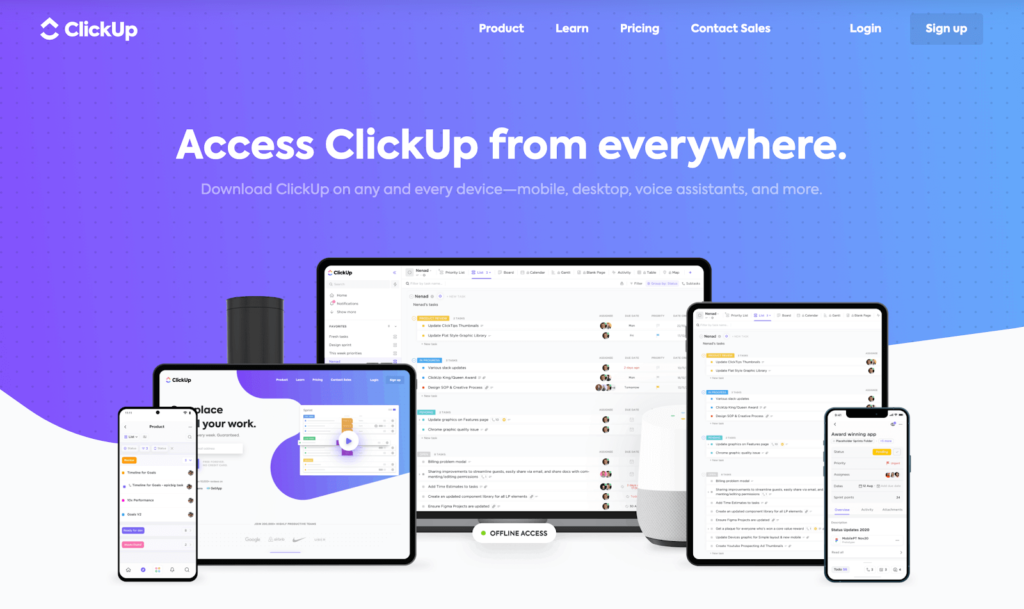
ClickUp is an all-in-one project management platform that offers a wide range of features for task management, team collaboration, goal tracking, and workflow automation. It’s highly customizable, allowing users to organize tasks with different views, such as Kanban boards, Gantt charts, calendars, and timelines. ClickUp’s standout features include time tracking, task dependencies, document collaboration, and built-in communication tools.
It also integrates with third-party apps like Slack, Google Drive, and Trello. ClickUp offers a generous free plan, making it attractive to small teams and providing enterprise-level features for larger teams.
ClickUp and Wrike are versatile project management tools catering to different needs. ClickUp is known for its flexibility and extensive customization options, which allow teams to adapt the tool to their specific workflows. It’s user-friendly and suitable for teams of all sizes, offering robust functionality at a lower cost than Wrike, especially with its free tier.
Wrike focuses more on enterprise-level project management with features like detailed workload management, advanced reporting, and resource allocation. Wrike’s interface can be more complex but provides more granular control over tasks and projects. ClickUp is more flexible and cost-effective, while Wrike excels in handling complex, large-scale projects.
Ratings
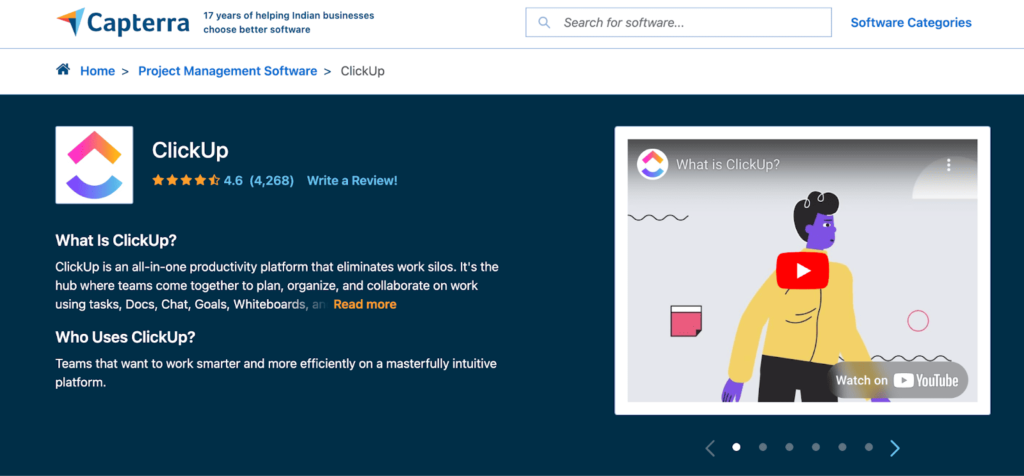
ClickUp boasts an impressive rating of 4.6 out of 5 stars based on reviews from 4,268 users.
Pros
- Highly Customizable: ClickUp offers extensive customization options to adapt to various project workflows.
- All-in-One Platform: Combines task management, docs, goals, and time tracking in a single platform.
- Free Plan: The free plan is robust, offering many features for teams with basic needs.
- Multiple Views: Provides a variety of views (list, board, calendar, Gantt, etc.) for flexible project management.
Cons
- Steep Learning Curve: The abundance of features can overwhelm new users, leading to a steep learning curve.
- Performance Issues: Users report occasional lag or slow loading times, especially with large projects.
- Cluttered Interface: The interface can feel cluttered due to the numerous features and options.
- Limited Offline Access: Full functionality requires internet access, limiting offline capabilities.
ClickUp Pricing
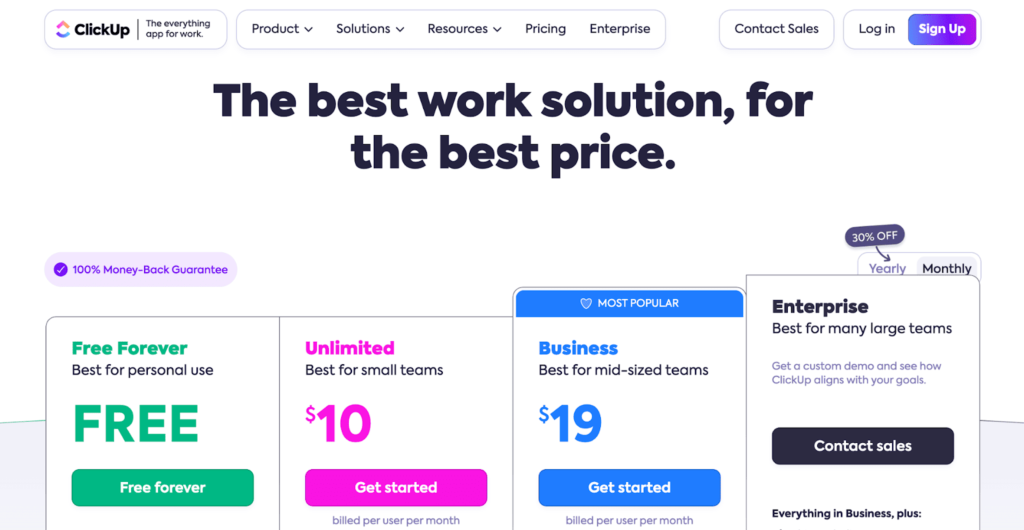
ClickUp offers four pricing plans:
- Free: A free plan that lasts indefinitely.
- Unlimited: This plan is priced at 10 USD per user per month.
- Business: This plan costs 19 USD per user per month.
- Enterprise: For pricing details on this plan, please contact the ClickUp team.
By subscribing to their pricing plans annually, you can enjoy a 30% discount.
4. Smartsheet
Smartsheet is a project management and collaboration platform that operates like a sophisticated spreadsheet. It is ideal for teams that need to manage complex data and projects. It combines the familiarity of Excel with advanced project management features like Gantt charts, task dependencies, automation, and reporting.
Smartsheet supports many workflows, including task tracking, budget management, and resource allocation. It integrates well with enterprise tools like Salesforce, Microsoft Office, and Google Workspace, making it a good fit for large organizations with complex project requirements.
Both Smartsheet and Wrike offer robust project management features, but they cater to different types of users. Wrike is designed more for traditional project management, offering features like advanced reporting, workload management, and team collaboration in a user-friendly interface. Wrike’s strength lies in its ability to handle detailed, task-based projects with high levels of control and customization.
Smartsheet, on the other hand, is better for teams that rely on data-heavy workflows or require flexible, spreadsheet-style project management. It is especially powerful for large teams that manage resources and data at scale. While Wrike excels in task management and team collaboration, Smartsheet stands out for its data-centric, spreadsheet-based approach.
Ratings
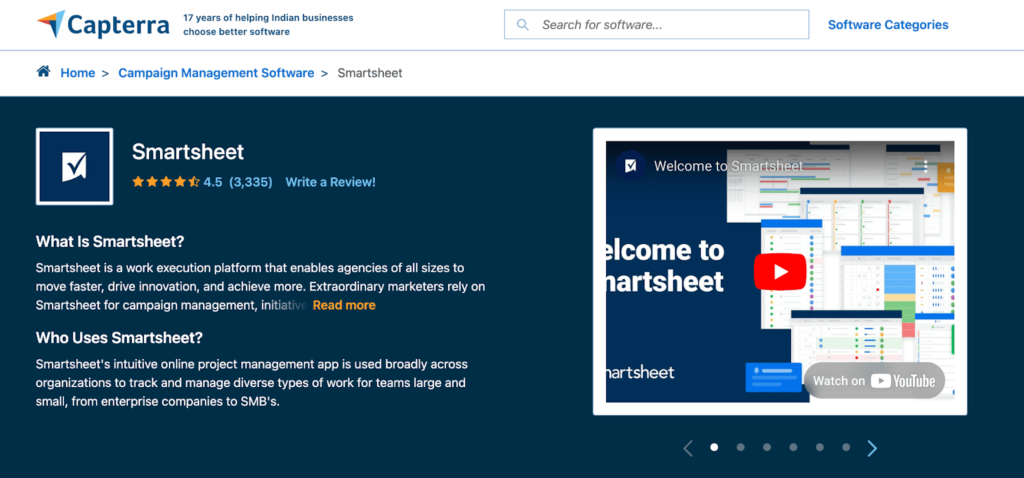
Smartsheet boasts a user rating of 4.5 out of 5 stars based on reviews from 3,335 users.
Pros
- Familiar Spreadsheet Interface: The interface is similar to spreadsheets, making it easy for users to adapt quickly.
- Robust Automation: Strong automation features for streamlining workflows and reducing manual tasks are offered.
- Advanced Reporting: Provides advanced reporting and analytics tools for data-driven project management.
- Collaboration Tools: Built-in collaboration tools like comments, attachments, and real-time updates enhance teamwork.
Cons
- Expensive for Small Teams: Pricing can be high for smaller teams, especially when advanced features are needed.
- Limited Customization: Customization options are somewhat limited compared to other project management tools.
- Steep Learning Curve: Mastering Smartsheet’s advanced features can take time despite the familiar interface.
- No Built-in Time Tracking: Lacks built-in time tracking features, requiring third-party integrations for this function.
Smartsheet Pricing
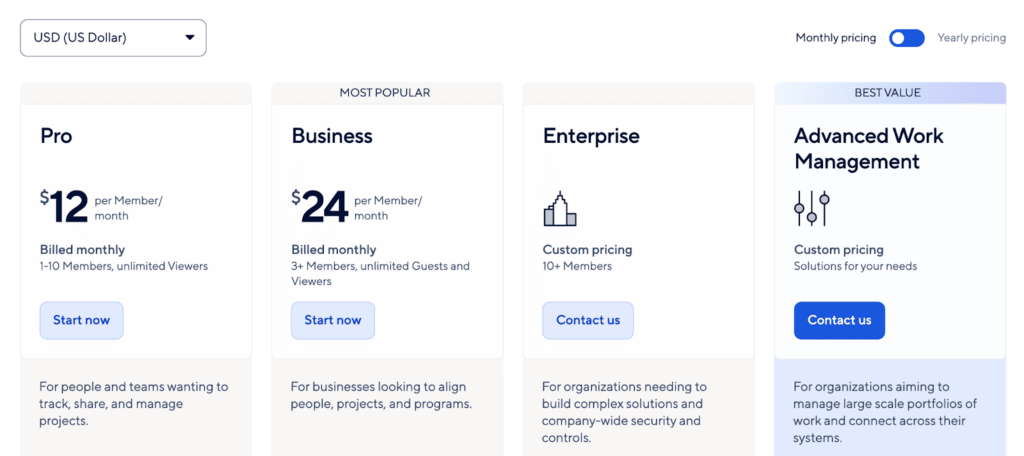
Smartsheet offers four pricing plans:
- Pro: This plan is priced at 12 USD per member per month.
- Business: This plan costs 24 USD per member per month.
- Enterprise: For pricing details on this plan, please contact the Smartsheet customer sales team.
- Advanced Work Management: Contact their team to inquire about pricing for this solution.
By subscribing annually, the prices for the Pro and Business plans are reduced to 9 and 19 USD per member per month, respectively.
5. Process.st
Process Street is a workflow and process management tool designed to help teams create, automate, and manage recurring processes. It focuses on checklist-based workflows, making it ideal for businesses that need to standardize procedures like onboarding, compliance tasks, and quality control.
Process Street allows users to build customizable task templates, track progress in real-time, and automate routine processes with powerful integrations via Zapier and other apps. It’s intuitive and easy to use, making it accessible for teams looking for structure and efficiency without complexity.
The key difference between Process Street and Wrike lies in their focus. Process Street specializes in process management and workflow automation, particularly for repetitive tasks and checklists. It’s more suitable for teams that follow structured, standardized procedures rather than managing complex, one-time projects. Its simplicity is a major strength, making it easy to implement for users who need to streamline operations.
Wrike is a more comprehensive project management tool for complex, multi-layered projects. It features features like task dependencies, resource management, and advanced reporting. While Wrike is ideal for project-based work that requires detailed planning, Process Street shines in environments where repeatable processes and checklists are crucial for operational efficiency.
Ratings
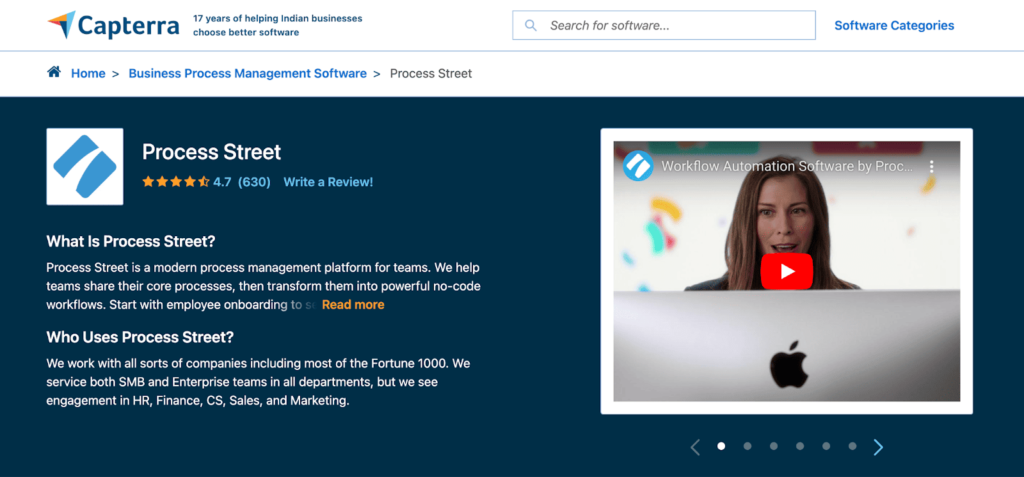
A rating of 4.7 out of 5 is impressive for any software, based on feedback from 630 users.
Pros
- Easy Workflow Automation: Simplifies creating and automating recurring workflows with minimal setup.
- User-Friendly Interface: The clean and intuitive interface makes navigating and managing tasks easy.
- Collaborative Features: Supports collaboration through task assignments, comments, and approvals.
- Checklist Templates: Offers pre-built checklist templates to streamline process documentation and management.
Cons
- Limited Reporting: Lacks advanced reporting features, which can hinder tracking progress and performance.
- No Native Time Tracking: This does not include time tracking, requiring external tools for time management.
- Pricing Increases with Users: Costs can rise quickly as more users are added, making it expensive for larger teams.
- Limited Customization: Customization options for processes and templates are somewhat restricted compared to competitors.
Process.st Pricing
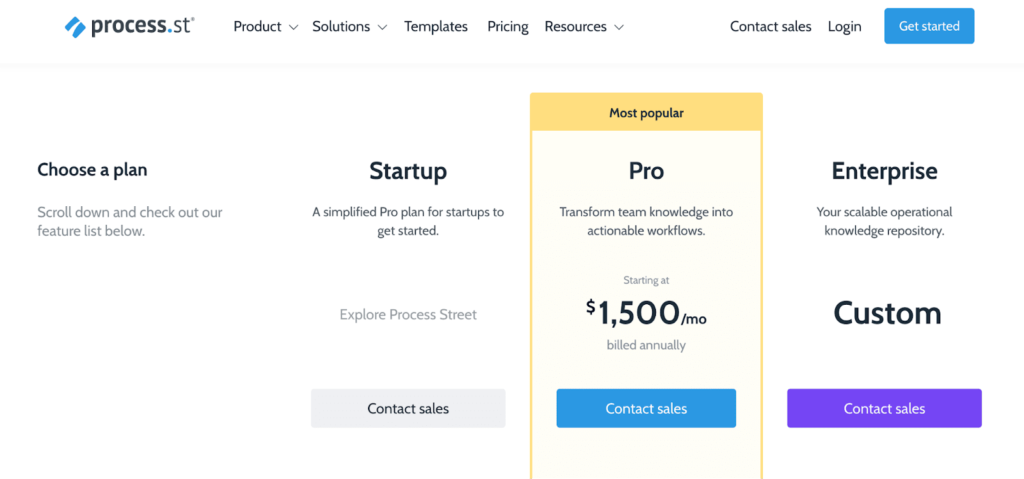
Process Street offers three pricing plans:
- Startup: For pricing details, please reach out to their sales team.
- Pro: This plan is priced at 1,500 USD, billed annually.
- Enterprise: For pricing information, contact their sales team.
6. Jira
Jira is a project management tool primarily designed for software development teams using Agile methodologies. It specializes in issue tracking, sprint planning, and project road mapping, making it ideal for managing software development cycles. Jira offers features like Scrum boards, Kanban boards, backlog management, and detailed reporting, including burndown charts and velocity tracking.
It is highly customizable, allowing teams to configure workflows, automate tasks, and integrate with development tools like GitHub and Bitbucket. Jira is widely used by teams practicing Agile, Scrum, or Kanban because it strongly focuses on managing issues and tracking progress through iterative development cycles.
The two tools serve different purposes and user bases compared to Wrike. Jira excels in software development environments where issue tracking, sprint planning, and iterative project management are key. It offers deep capabilities for Agile teams, making it the go-to choice for tech-heavy projects.
Wrike is a more versatile project management tool that caters to various industries and project types, including marketing, creative, and operational teams. It offers features like workload management, resource planning, and advanced reporting that are more comprehensive for non-software projects. While Jira specializes in development teams, Wrike provides broader project management capabilities across different industries.
Ratings
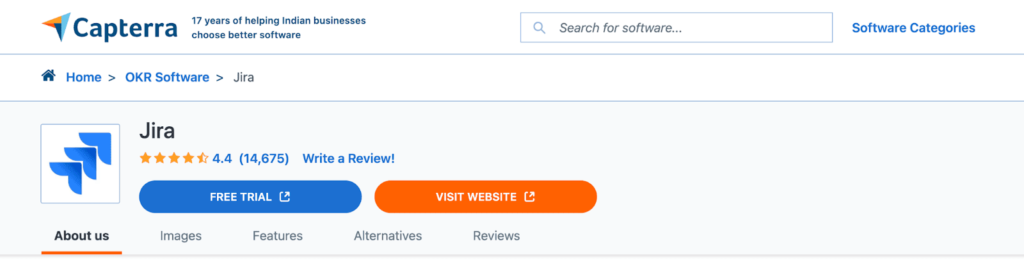
A rating of 4.4 out of 5 is a solid score based on feedback from 14,675 users.
Pros
- Powerful for Agile Teams: Jira is designed with robust tools for Agile project management, such as Scrum and Kanban boards.
- Customizable Workflows: Highly customizable workflows to suit different project needs and processes.
- Extensive Integration: Integrates with many third-party apps and tools, making it versatile for various teams.
- Detailed Reporting: Provides comprehensive reporting and analytics for tracking project progress and team performance.
Cons
- Steep Learning Curve: The platform can be complex and difficult to navigate for new or non-technical users.
- Can Be Overwhelming for Small Teams: Jira’s extensive feature set can feel overwhelming and unnecessary for small teams.
- Expensive Add-ons: Many useful features require paid add-ons, increasing the cost.
- Performance Issues at Scale: Jira may experience performance slowdowns when handling large projects or data sets.
Jira Pricing
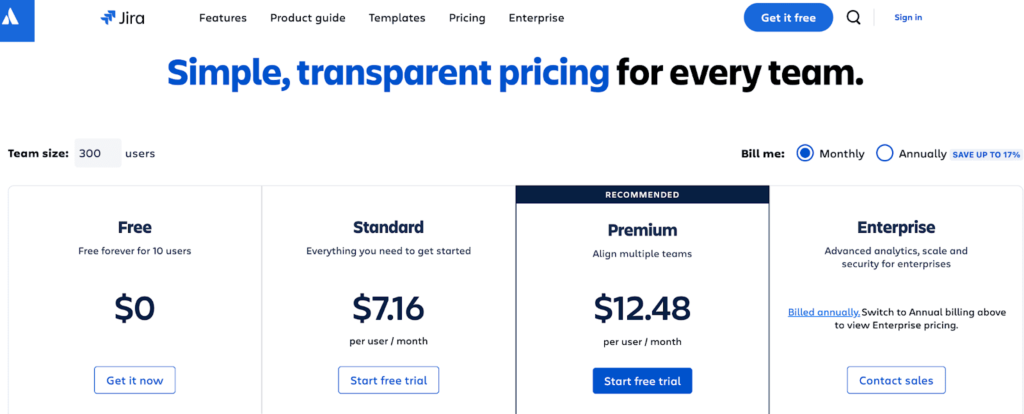
Jira offers four pricing plans:
- Free: This is a complimentary plan.
- Standard: This plan starts at 7.16 USD per user per month.
- Premium: The pricing for this plan begins at 12.48 USD per user per month.
- Enterprise: For pricing details, please contact their sales team.
7. Basecamp

Basecamp is a simple, user-friendly project management tool designed for teams that need a straightforward way to organize tasks, collaborate, and communicate. It provides essential features like to-do lists, file sharing, message boards, scheduling, and real-time group chat.
Basecamp focuses on simplicity, making it ideal for small teams or organizations that want to avoid the complexity of more feature-heavy tools. It’s often used for client collaboration, with an easy-to-navigate interface and a flat pricing structure—99 USD per month for unlimited users- great for growing teams.
Compared to Wrike, Basecamp is much simpler and more focused on team communication and basic task management. Basecamp lacks advanced project management features like task dependencies, workload management, and detailed reporting, which Wrike offers. Wrike is a more robust tool designed for complex, multi-layered projects, providing advanced features like Gantt charts, time tracking, resource management, and customizable dashboards.
While Basecamp excels in simplicity and is ideal for smaller teams or those focusing on communication and collaboration, Wrike is better suited for larger teams or projects that require a higher level of detail, control, and structure in project management. Wrike’s versatility and advanced features make it a better option for managing complex workflows.
Ratings
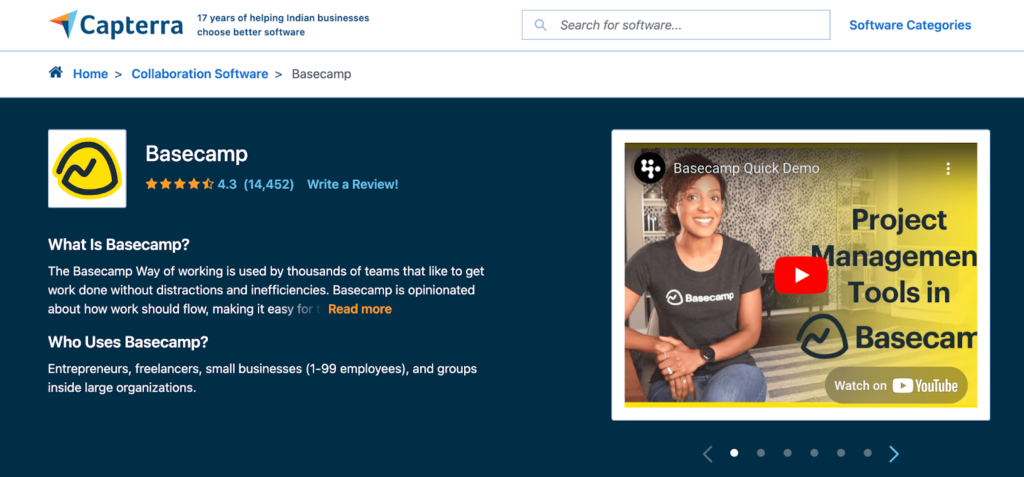
Basecamp has earned a rating of 4.3 out of 5 stars from 14,452 users on Capterra, reflecting a positive experience among its user community.
Pros
- User-Friendly Interface: Basecamp features a straightforward, intuitive interface that makes it easy to navigate.
- All-in-One Tool: Combines project management, team communication, file sharing, and scheduling in one platform.
- Flat Pricing Model: Offers a flat pricing structure, allowing unlimited users without additional costs.
- Strong Collaboration Features: It provides effective tools like message boards, to-do lists, and real-time group chats.
Cons
- Limited Customization: Customization options are limited, which may not suit all teams’ workflows.
- Lack of Advanced Features: Advanced project management features like Gantt charts or detailed reporting are missing.
- Notification Overload: Users may experience notification overload, leading to overlooked important updates.
- No Time Tracking: Lacks built-in time tracking capabilities, requiring integration with external tools for time management.
Basecamp Pricing
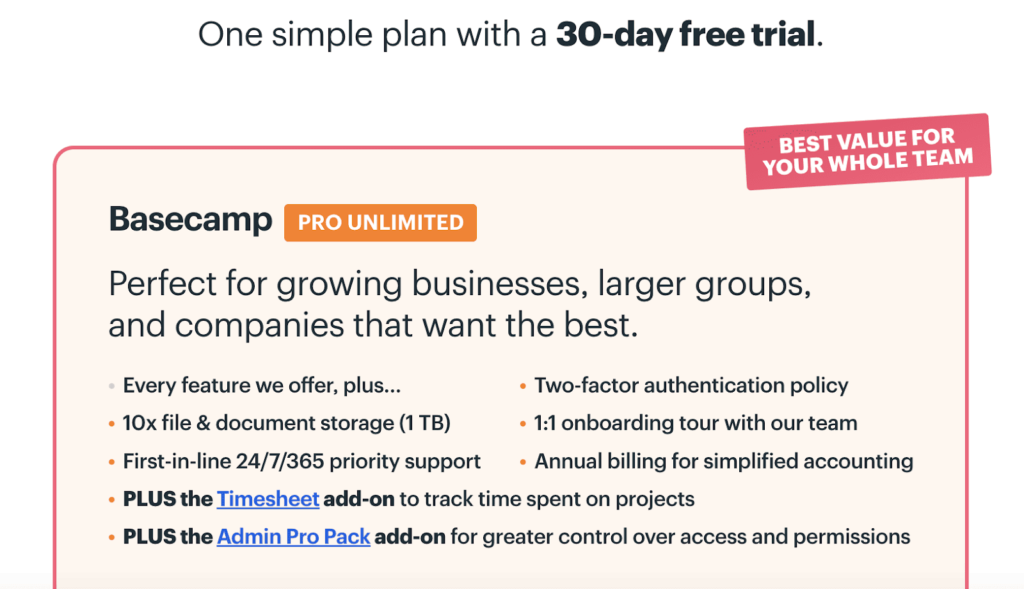
Basecamp offers a single pricing plan, Basecamp Pro Unlimited, which costs approximately 47.94 USD monthly. While no free plan is available, users can use a 30-day free trial to explore the platform’s features.
How to Choose the Best Wrike Alternative?
When choosing the best alternative to Wrike, consider team size, budget, and the specific features you need. Below are guidelines to help you make an informed decision for selecting a Wrike alternative:
Team Size
Small Teams (1-10 people): Simplicity and cost-effectiveness are key for small teams. Focus on tools that are easy to use but still offer essential project management features like task assignments, deadlines, and team collaboration.
Recommendations
- nTask: It is great for small teams and offers features like task management, time tracking, and meeting management. It’s also very affordable.
- Basecamp: Simple, intuitive, and designed for smaller teams. It offers messaging, task tracking, and file storage in one place.
- ClickUp: Offers a robust free plan with many features, making it a good option for small teams that need flexibility.
Medium Teams (10-50 people): Medium-sized teams may need more advanced features like project dependencies, reporting, and better integration with external tools.
Recommendations
- Monday.com: Highly visual and customizable dashboards make it ideal for medium-sized teams with strong task management, timeline views, and reporting.
- ClickUp: It offers an all-in-one platform for task management, goal tracking, and collaboration, with many medium-team integrations.
- Smartsheet: If your team needs advanced project planning and reporting, Smartsheet is a scalable option with spreadsheet-like functionality.
Large Teams (50+ people): Large teams often require scalable, enterprise-level solutions with security features, detailed reporting, and deep integrations.
Recommendations
- Smartsheet: Strong enterprise use with scalable project management and detailed reporting capabilities. Great for managing complex workflows.
- Jira: A leader in managing agile teams, especially for software development. It handles large-scale, complex project needs with ease.
- ClickUp: Still viable for large teams, offering scalability, workflow automation, and custom reports.
2. Budget
Free Options
- nTask: It offers a free plan with basic task and project management features.
- ClickUp: Free plan offers generous features, including task management, goals, and document storage.
- Process Street: Free for basic process management, great for teams focusing on checklists and workflows.
Affordable Plans (5 – 15 USD/user/month)
- nTask: One of the most affordable options with plans starting as low as $3/user.
- Monday.com: It offers a basic plan starting around 8 USD per user per month, which is good for small to medium teams.
- Basecamp: This service offers a flat fee of 99 USD/month for unlimited users, making it ideal for growing teams.
Higher Budget (15+ USD per user/month)
- Smartsheet: Higher-end pricing but offers extensive project management and reporting features for enterprise teams.
- Jira: This can get costly for large teams but provides powerful tools for agile project management.
- Monday.com: Higher-tier plans for advanced features like automation, integrations, and detailed reporting.
3. Specific Features Required
Task & Project Management: If your team focuses on task management with features like task dependencies, deadlines, and workload tracking:
- Monday.com, ClickUp, nTask, and Jira are all great for task and project tracking.
Collaboration: If collaboration and communication are essential, look for tools with built-in chat, document sharing, and real-time collaboration:
- Basecamp: Excellent for simple team collaboration, file sharing, and messaging.
- Monday.com and ClickUp: Both offer communication tools and integrations with Slack, Google Workspace, and Microsoft Teams.
Process Automation: If your team relies on standardized workflows or needs to automate repetitive tasks:
- Process Street: Focused on process management, great for teams needing structured workflows.
- ClickUp: Offers customizable automation and workflow templates.
- Monday.com: Includes automation features for repetitive tasks like notifications, task updates, and status changes.
Agile Methodology: If your team uses agile methods or needs scrum boards, sprint planning, or issue tracking:
- Jira: Best suited for agile teams, especially in software development.
- ClickUp: Offers features for agile teams, including sprint management and burndown charts.
Reporting and Analytics: If detailed reporting, Gantt charts, or real-time dashboards are important:
- Smartsheet: Excellent for reporting and data visualization.
- ClickUp: Offers built-in reports and dashboards that are customizable for project tracking.
- Monday.com: Provides customizable dashboards and various reporting tools.
4. Ease of Use
For teams without much technical experience, ease of use is critical. You’ll want a tool that can be quickly adopted without a steep learning curve.
- Basecamp: Very simple interface, ideal for non-technical users.
- nTask: Easy to use with a clean, straightforward interface.
- Monday.com: Known for its intuitive and visual design, easy for most users to pick up quickly.
- Jira: Powerful, but can have a steeper learning curve for teams new to agile or complex project management.
Key Takeaways
- Small Teams (Budget: Free to low): nTask, Basecamp, or ClickUp.
- Medium Teams (Budget: Moderate): Monday.com, ClickUp, or Smartsheet.
- Large Teams (Budget: Flexible): Jira, Smartsheet, or ClickUp.
Conclusion
While Wrike is a robust project management tool, many alternatives cater to diverse needs and budgets. To find the right fit for your team, it is important to clearly define your requirements and prioritize the features that matter most. Consider the pricing structures of various software options to avoid hidden costs and ensure you make an informed decision.
With careful consideration, you can select a platform that meets your project management needs and enhances your team’s productivity and collaboration. Explore the available options to find the best solution tailored to your workflow.
Disclosure: Some of the links above are affiliate links, and I will earn a commission if you purchase after clicking. Please understand that I recommend these resources because they are useful, not because of the commissions I make. Please do not purchase unless you feel that the materials will help you achieve your goals. Thank you for your support.

I am Mohammad Fahad Usmani, B.E. PMP, PMI-RMP. I have been blogging on project management topics since 2011. To date, thousands of professionals have passed the PMP exam using my resources.