Scheduling data in project management helps you plan work, track progress, and meet deadlines. It brings structure to tasks, timelines, and resources so nothing gets missed. Without clear schedule data, projects often face delays, confusion, and poor coordination.
A strong schedule shows what needs to be done, when it should happen, and who is responsible. It also highlights risks early so teams can act fast. In today’s fast-moving projects, accurate schedule data is not optional. It is essential.
This blog post explains the schedule data in project management, its key components, and how you can use it to improve project outcomes and stay on schedule.
What is Schedule Data in Project Management?
Schedule data refers to all the information that defines, supports, and controls a project timeline. A schedule is more than a simple list of dates. It is a roadmap that shows what will be done, when, and by whom. A project schedule outlines the timeline, tasks, milestones, and resources required to complete a project.
It is a comprehensive timeline that lists all tasks and milestones with their planned start and finish dates.
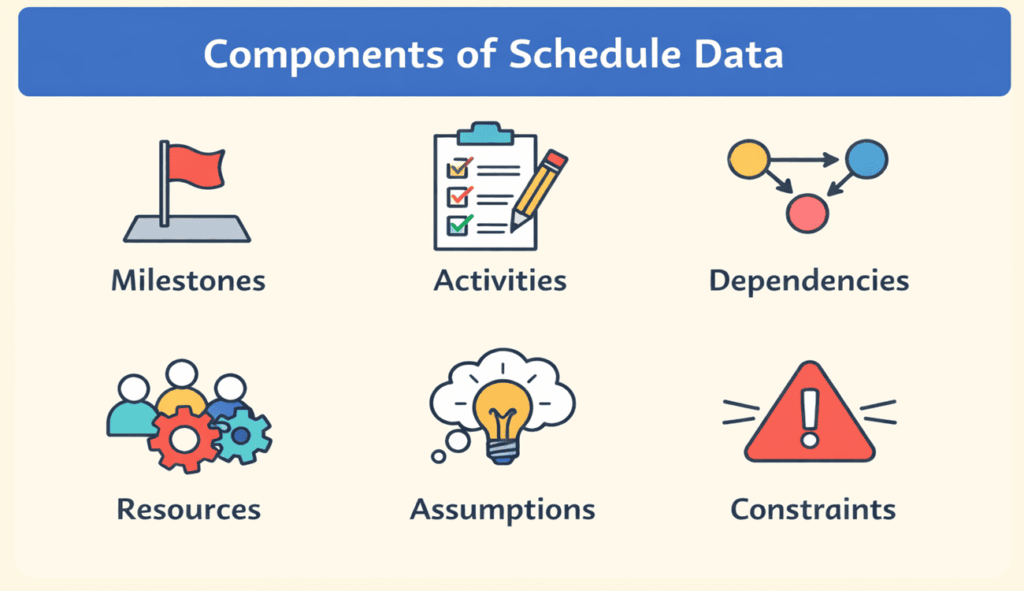
In practice, schedule data contains:
- Milestones and activities – key points in the timeline and the detailed tasks needed to reach them.
- Dates and durations – planned start and finish dates for each task, along with realistic time estimates.
- Dependencies – logical relationships that show which tasks must be completed before others can begin.
- Resources and assignments – people, equipment, and materials assigned to each task.
- Assumptions and constraints – factors that are considered true for planning but may limit choices later.
By gathering these elements, a project manager builds a schedule that provides clear guidance. This structure helps teams understand how work moves from start to finish.
Why Schedule Data Matters
Schedule data plays a key role in successful project management. It helps you plan tasks clearly and assign the right resources at the right time. With accurate schedule data, you can track progress and spot delays early. This allows quick action before problems grow. It also improves communication because everyone understands what to do and when to do it.
Good schedule data reduces confusion, avoids resource conflicts, and keeps work organized. It supports better decision-making by showing real timelines and dependencies. Most importantly, it helps projects finish on time and within scope. Without proper schedule data, projects often face delays, missed deadlines, and poor coordination, which can lead to higher costs and lower quality results.
Key Components of Schedule Data
Each piece of schedule data serves a specific purpose. Below is a summary of the core components and why they matter.
| Component | Purpose |
| Milestones and activities | Milestones mark important points, such as the end of a phase or the delivery of a key feature, while activities are the individual tasks that must be completed to reach those points. |
| Dates and durations | Start and finish dates provide a timeline for each task, while duration estimates help allocate time accurately. |
| Dependencies | Dependencies describe how tasks relate to each other. Finish-to-start and other relationships show the order of work and prevent bottlenecks. |
| Resources and assignments | Resources include people, equipment, and materials; assignments clarify who is responsible for each task. |
| Assumptions and constraints | Assumptions are conditions assumed to be true for planning, such as the availability of materials. Constraints limit options, for example, budget caps or working-hour restrictions. |
Understanding these components helps project managers gather the right information and avoid surprises.
Gathering and Using Schedule Data
Building a useful schedule begins long before tasks start. You need a clear picture of what the project involves and how each piece fits together. Here is a simple method for collecting and applying schedule data:
1. Define the project scope and objectives
Before anything else, clarify what success looks like. Review the project charter and scope statement to know exactly which deliverables are expected. Without a clear scope, you cannot list tasks accurately. For instance, in a software development project, the scope may call for a mobile app with user login, payment integration, and push notifications. Each feature will later become a group of tasks.
2. Break down the work into tasks
Use a work breakdown structure (WBS) to decompose the project into smaller activities. Each activity should have a clear outcome that contributes to the overall goal. In construction, tasks might include “site preparation,” “foundation,” “framing,” “plumbing,” and “finishing.” Breaking work into manageable pieces makes it easier to assign responsibilities and estimate durations.
3. Estimate durations and set dates
For each task, estimate how long it will take. Consider factors such as complexity, resource availability, and external dependencies. Historical data and expert judgment can help with accurate estimates. Then assign start and finish dates, ensuring tasks do not overlap unnecessarily. For example, if “site preparation” takes 10 days and must finish before “foundation,” plan the start of “foundation” immediately after “site preparation” finishes.
4. Identify dependencies
Determine the logical relationships between tasks. A finish-to-start dependency means one task must finish before the next can begin. Start-to-start or finish-to-finish relationships allow parallel work. Mapping these dependencies prevents scheduling conflicts.
5. Assign resources
Match people, equipment, and materials to each task. Make sure your resource allocation is realistic; do not assign the same person to two tasks simultaneously. Checking availability at this stage avoids delays later. Clear assignments also improve accountability and team communication.
6. Build the schedule model
With tasks, durations, dependencies, and resources defined, you can build a schedule model using software tools. A simple spreadsheet works for small projects, but greater efforts benefit from specialized tools like Microsoft Project or Smartsheet, which support Gantt charts and critical path analysis. These tools help you visualize the flow of work and identify the tasks that drive the overall timeline.
7. Monitor and update regularly
A schedule is a living document. As the project progresses, track actual start and finish dates, resource usage, and any new risks. Update the schedule to reflect changes in scope or delays so you maintain alignment between plan and reality. Regular reviews allow you to catch problems early and adjust to stay on track.
How Schedule Data Helps Identify Risks
One of the most valuable uses of schedule data is risk identification. Because you know the tasks, durations, and dependencies, you can see where delays are likely to occur. For example, imagine building a house in six months. If the project starts in winter, severe weather could slow down work. By including assumptions about weather and constraints like material availability in the schedule, you can plan contingencies such as renting generators or scheduling interior work during bad weather.
Another area where schedule data uncovers risk is resource overload. Suppose you need ten carpenters to produce 400 units in a month. If you see that only eight are available, the schedule data highlights a resourcing risk. You can then adjust by hiring more workers, redistributing tasks, or extending the timeline. Monitoring actual progress against the schedule helps catch these problems early so corrective action can be taken.
FAQs
Q1. What’s the difference between schedule data and a project schedule?
Schedule data refers to the detailed information, such as tasks, dates, dependencies, resources, assumptions, and constraints, used to build a project timeline. A project schedule is the finished plan that organizes that information into a coherent sequence.
Q2. How does schedule data improve resource management?
By listing tasks and durations, the schedule data shows when each resource is needed. This helps managers allocate people and equipment without overlaps and avoid idle time.
Q3. Why are dependencies so important?
Dependencies describe how tasks relate to each other. Recognizing finish-to-start or start-to-start relationships prevents bottlenecks and ensures tasks occur in the correct order.
Q4. How often should a project manager update schedule data?
Updates should occur whenever a task starts or finishes, when resources change, or when scope adjustments affect the timeline. Regular reviews keep the schedule aligned with reality.
Q5. Can small projects skip formal schedule data?
Even small projects benefit from basic schedule data. A simple list of tasks, dates, and dependencies is enough to maintain focus and avoid surprises. The time invested in planning up front often saves time later.
Summary
Schedule data is the foundation of effective project planning and control. It brings clarity to tasks, timelines, and responsibilities, helping teams stay organized and focused. By using accurate schedule data, project managers can track progress, manage risks, and make better decisions. It also improves communication and reduces delays. In simple terms, strong schedule data turns plans into results. When used well, it helps deliver projects on time, within scope, and with greater confidence.

I am Mohammad Fahad Usmani, B.E. PMP, PMI-RMP. I have been blogging on project management topics since 2011. To date, thousands of professionals have passed the PMP exam using my resources.