
Today, I will provide you with my detailed Moqups review.
Moqups is a visual collaboration program with tools like whiteboards, design features, and diagrams. It is one of the best ways businesses plan, collaborate, communicate, and enhance people and work management.
The platform was launched in 2012 by Emil Tamas and has become one of the best wireframing tools.
Moqups allows you to create various visual products to support various projects. It includes dashboards, mind maps, prototypes, mockups, wireframes, and many more ways to amplify an organization’s message.
It is best suited for UX professionals, executives, corporations, cross-functional teams, technology-based companies, marketing and management agencies, and organizations working on complicated projects. Moqups helps companies streamline their processes and track progress. Various features of the platform can greatly improve team communication and team collaboration.
Why Wireframing Matters
Remote and hybrid work are no longer fringe concepts. Over half of remote-capable U.S. employees now work in hybrid settings, and 27% work fully remotely. Globally, 83% of workers say they prefer a hybrid schedule, while 88% of employers offer hybrid options. In this environment, digital tools that allow teams to sketch, discuss, and refine ideas without being in the same room have become essential. Wireframing platforms such as Moqups support creativity and communication by providing a shared visual language, whether you are designing a website, planning a workflow, or mapping customer journeys.
In my Moqups review, we will cover each aspect of the platform to help you understand if it is the tool for you!
Moqups Review
A robust design should have robust prototyping, mockups, and wireframing. You must pictorialize your concepts, theories, mission, and vision to create a powerful impact.
This platform simulates designs and brings them to life with the help of different workflows, work charts, and user journeys beforehand. Any information without a graphical representation is boring.
With Moqups, you can guarantee the information you provide will have a greater impact, with higher user engagement and efficient team communication and collaboration with one click.
This web design-based tool assists you in building all sorts of prototypes, mockups, and wireframes you need for your business. You can navigate between projects and team members and make your design more visually appealing and detailed.
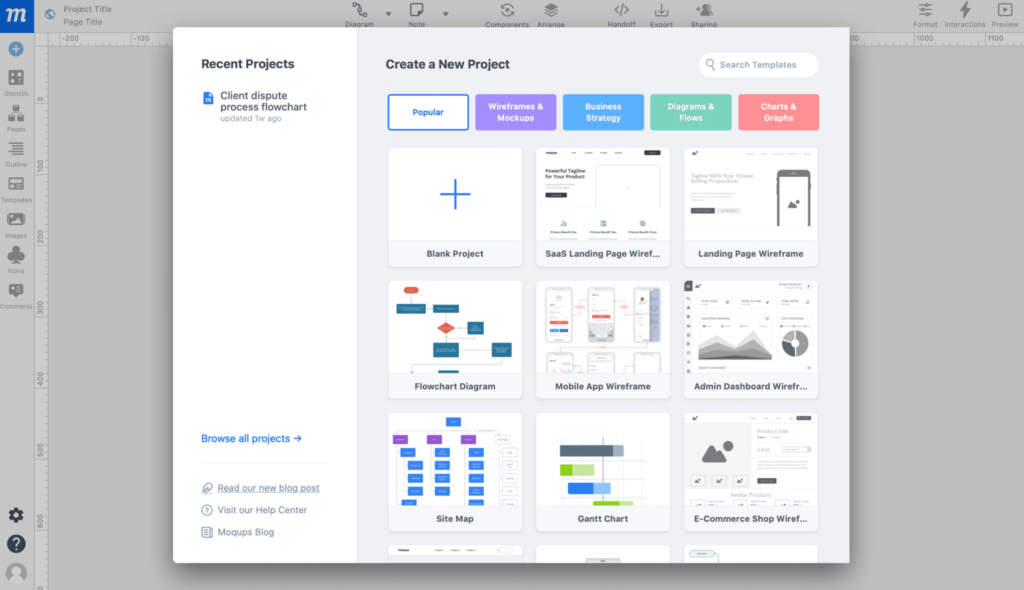
Key Features of Moqups
An Ecosystem of Different Tools
Moqups offers a complete ecosystem of design and collaboration tools. You can build wireframes and mockups for websites or apps with ready-made templates, drag-and-drop components, and grid guides for quick layout design. Its diagram and flowchart tools support sitemaps, concept diagrams, mind maps, and UML diagrams. The July 2025 update added interactive indicators and tooltips that show where links and hotspots are placed, improving navigation and usability.
It also provides charting options for visualizing data with bar, line, pie, funnel, and other chart types, including a new feature that displays funnel chart proportions by area. The online whiteboard lets teams brainstorm in real time using freehand drawing, sticky notes, and annotations. Once a session is done, you can export the whiteboard as a PNG or PDF for later use, making collaboration and documentation seamless across design stages.
Powerful, Flexible, and Scalable Features
The features provided by Moqups are powerful, flexible, and scalable. They advance as your business grows. With this platform, you can handle projects of any size and length; its drag-and-drop builder is robust, and navigation is easy.
Editing and creating images/graphics from scratch are fast, precise, intuitive, and loaded with dynamic tools.
Accelerates Your Creativity
You can maintain your team’s focus by helping creativity with automation. Moqups offers an extensive range of fonts, styles, icons, stencils, and more. It keeps you on your toes. This platform lets you keep everybody in the loop–from stakeholders to employees, business analysts to designers, and managers to developers.
Work from Anywhere
Moqups is cloud-based and supported on all devices–from desktops and laptops to mobile phones. Geographical constraints are no worries here, as everyone is in sync with Moqups’ easy upload and download feature.
Built-in Library for Icons and Stencils
Moqups includes hundreds of icons from Font Awesome, Material Design, Lucide, and a new gaming icon set added in July 2025. You can now access templates for all 14 UML diagram types, including class, sequence, and deployment diagrams.
The July 2025 update also introduced new guides covering low, medium, and high-fidelity wireframes to help beginners get started.
Team Collaboration and Communication
Moqups’ main motive is to ease out your team’s collaboration and communication as a whole. Your team receives your message clearly when you create workflows, diagrams, wireframes, and prototypes.
This platform lets you collaborate in real-time with complete transparency. It also integrates with Dropbox, Slack, and Google Drive.
Create a free account to check out all the features today!

Moqups Products
#1. Wireframes
Moqups wireframes are used by over 2 million users who come to the platform. The wireframes help them design the structure of their websites, page sections, and mobile apps. You can enable your team to understand the organizational hierarchy, the user flow of the project, the workload of each employee, and the page density. It uses placeholder text and simple shapes that can also create advanced flow.
To begin, you are given 100+ templates of wireframes, charts, diagrams, etc. You also get real-time communication where your team and you can work on the wireframes together, do live chat, and leave comments. You focus on the structure, and Moqups takes care of the rest.
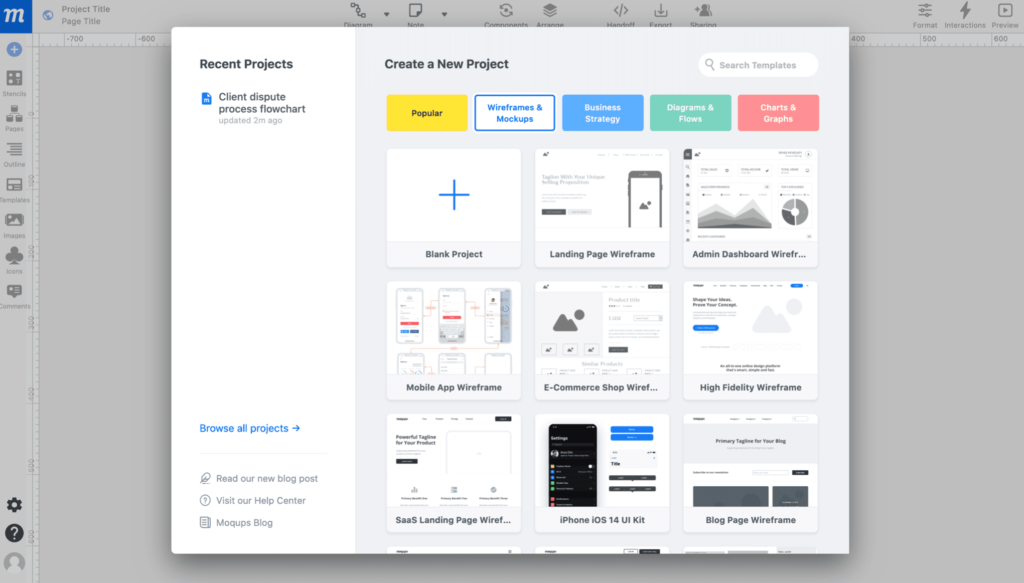
#2. Mockups
This feature allows your team to receive feedback on the submitted design. You can build on the wireframe to visualize the content and function. It is a demo process to show clients how their design will look on the main page.
Mockups help you put the designs into context with a result in front of you.
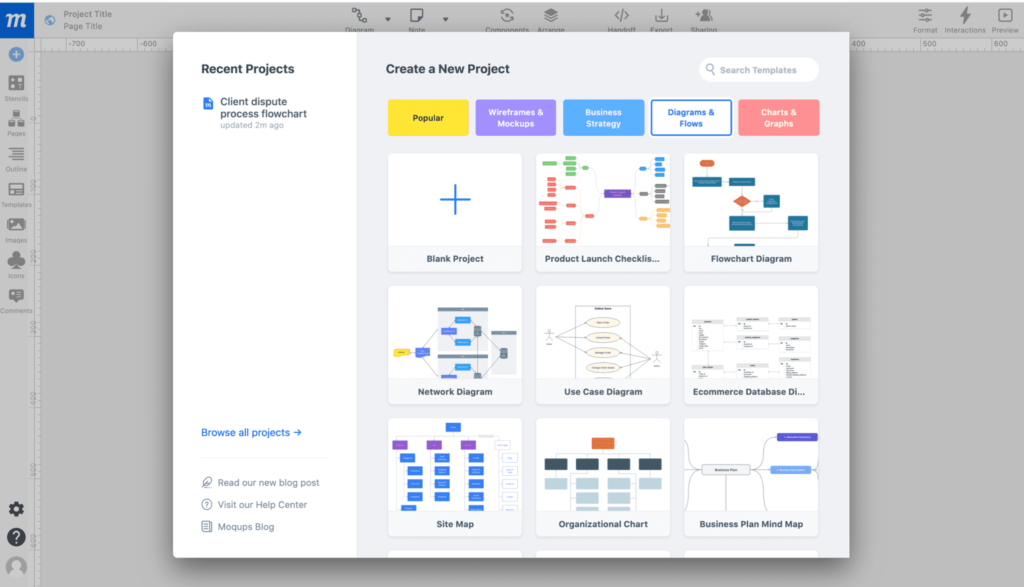
#3. Diagrams and Flowcharts
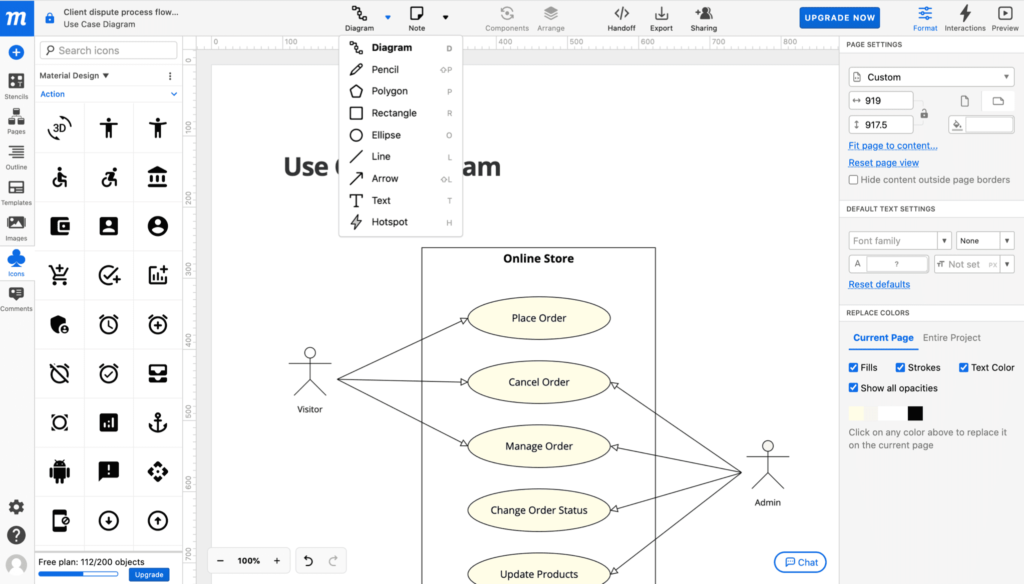
Moqups helps you create diagrams and flowcharts that enhance employee understanding. You can create several diagrams, including concept diagrams, use-case diagrams, decision trees, sitemaps, mind maps, and flowcharts for different workflows. You get dozens of shapes, diagraming arrows, quickly update and modify flowcharts, and add connectors labels so your team can be navigated easily.
This platform provides a flowchart stencil to enter and extend the content. You can also completely customize it.
Again, you get ready-to-use and editable flowchart templates and real-time collaboration functionality here, so you and your team can create the flowcharts, which can be exported as PNGs and PDFs and presented to stakeholders easily.
#4. Charts and Graphs
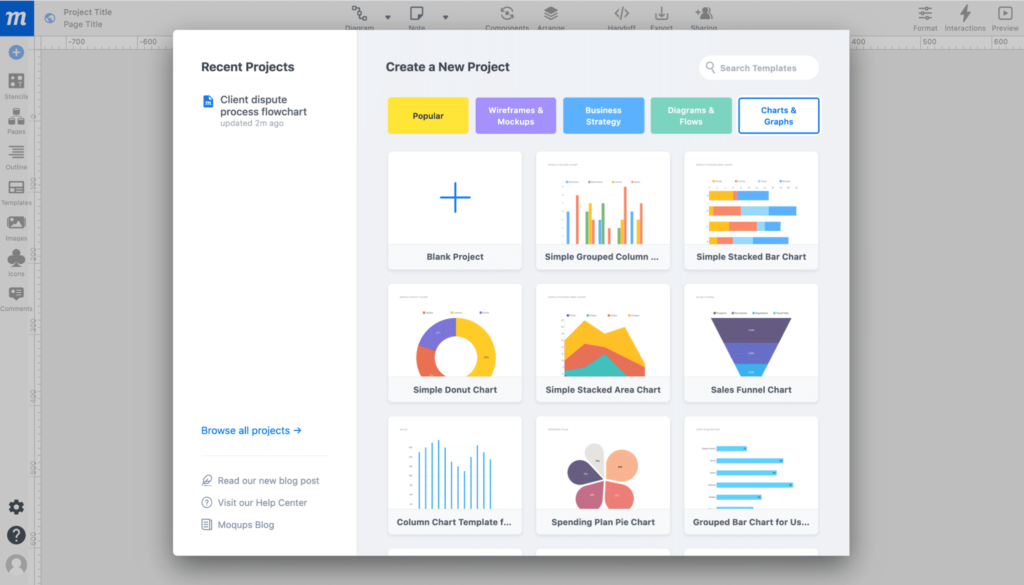
Charts and graphs play a major role in any organization, especially when they ease employee communication. It helps you present visually appealing information. With Moqups, you can create bar charts, area charts, doughnut charts, column charts, line charts, pie charts, funnel charts, and more.
You get 100+ customizable chart templates. After creating your charts, you can easily add them to your dashboard, present them to your team, or post them on social media.
#5. Online Whiteboard
Moqups makes collaborating and brainstorming easier for your team with its online whiteboard feature. Teammates can share ideas in real-time. This visual collaboration tool makes interaction seamless and lets you work from your device.
The online whiteboard comes with freehand drawing, sticky notes, shapes, annotations, and everything else that comes with the offline whiteboard experience.
This is very effective for remote teams and gives them an office feel. You can grant a commentator or editor access to your team, along with co-working on the whiteboard if you want to literally see them. You can get on a video call through Zoom or Skype and screenshare to discuss in depth.
These brainstorming sessions that reflect on the whiteboard can be exported as PNG or PDF files.
#6. UML Diagram Tool
This feature lets you create strong visualizations that look professional with a full UML stencil set. It offers over a hundred templates with real-time collaboration and creates a unified modeling language to suit all industry standards. Diagrams are easily shareable and made within minutes.
You can choose from class diagrams, sequence diagrams, use-case diagrams, component diagrams, activity diagrams, composite structure diagrams, deployment diagrams, profile diagrams, and package diagrams. Hence, it is an all-in-one tool to enhance your content.
Create a free account to check out all the products today!
Mockup Templates
Moqups has an abundance of templates you can choose from to create the best diagrams, flowcharts, and prototypes. It helps you maintain team momentum by getting immediate feedback and robust charts that explain business information to employees.
It also helps your team share the same vision with seamless collaboration driven by a unified set of intuitive tools.
You can find the following templates on Moqups:
- Wireframes and mockups for eCommerce websites
- Admin dashboard wireframe
- Landing page wireframe
- High and low fidelity wireframe
- Mobile app wireframe
- Blog page wireframe
- Price page wireframe
- Mobile app landing page wireframe
- Mind maps
- Sitemaps
- UML diagrams
- Process maps
- ERD diagrams for network, organization, and timelines
- Bar graphs and chart
- Line graphs and charts
- Area graphs and chart
- Pie and doughnut charts
- Funnel charts
- Column graphs and charts
- Gantt chart
- Customer journey maps
- Business model canvas
- SWOT analysis format
- Release roadmap
- Empathy map
- User person
- User story mapping
- Kanban board
- Affinity diagram
- Cause and effect diagrams
- Business strategy templates
- Storyboard
- Weekly calendar
- Eisenhower matrix
- 4Qs framework
- 4Ls retrospective
- Competitor analysis
- Five whys analysis
- Daily standup meeting
- Meeting agenda
- Growth engine board and much more
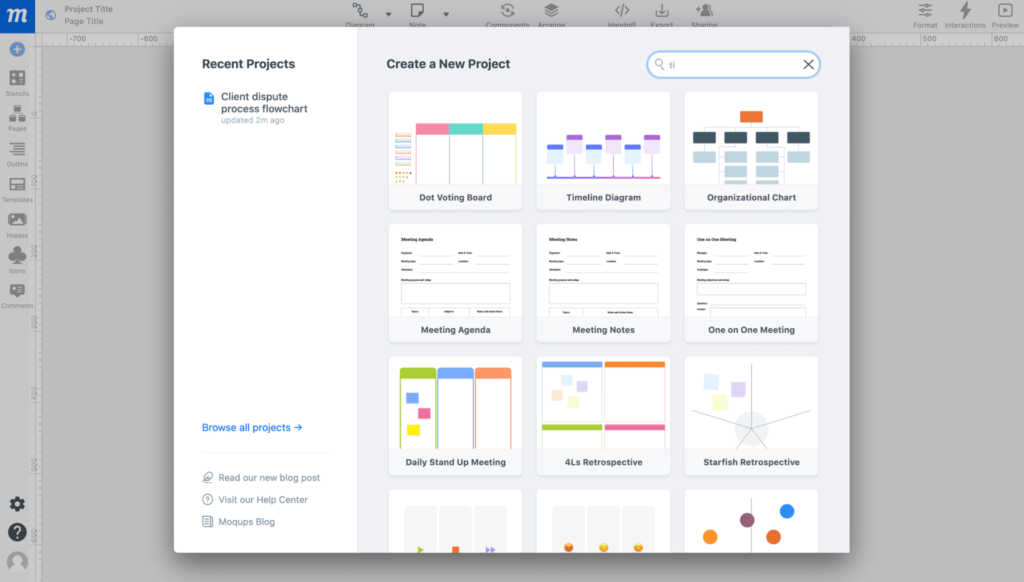
Free Online Graph and Flowchart Maker
Moqups helps you turn your raw data/information into engaging and interesting visual pieces. The online graph maker lets you customize with over a hundred chart templates and over a thousand images and icons that fit your audience, brand, vision, and mission.
All the above features are available for free.
However, you will need to upgrade to share, export, and save a flowchart or graph.
This chart and graph maker is trusted by huge brand names in the industry, including but not limited to Microsoft, Intel, SONY, Amazon, and Oracle.
Here is what makes Moqups unique:
- It is completely customizable.
- It lets you create charts and graphs within a few minutes.
- The drag-and-drop editor helps you replace anything with one click.
- It helps you create online, collaborate in real-time, and save the work on Cloud from wherever you work.
- It lets you share with your team instantly.
- It shares links online, adds them to the dashboards, posts them on social media, and exports them on the device.
All you have to do to create your graph/chart is:
- The template of your choice.
- Add your data set.
- Customize and style the chart/graph.
- Share it with the team or export it online.
Click here to sign up for a free Moqups account
Moqups Pros and Cons
This Moqups review will be incomplete if we don’t discuss the pros and cons of this software.
Pros and Cons
Pros
- Easy to Use: The interface is intuitive, even for beginners, allowing them to create wireframes and diagrams quickly.
- All-in-one Solution: It combines wireframing, diagramming, whiteboarding, and prototyping, so you don’t need multiple tools.
- Large User Base: Over two million users worldwide give the platform a vibrant community and strong support.
- Affordable Pricing: The solo plan starts at $8 per month (annual billing), making it competitive with alternatives.
- Continuous Updates: Regular product updates add features like interaction indicators and new templates.
Cons
- Free Plan Limitations: The free version allows only two projects, 400 objects, and one seat. Exporting mockups requires a paid plan.
- Renewal: Some users note that the platform does not send renewal notifications, which can make it easy to forget upcoming charges.
- Manual Editing: Selecting and rearranging individual elements on complex diagrams can be time-consuming.
- Limited Offline Mode: You can download an HTML viewer, but full offline editing is not available.
Resources and Blogs
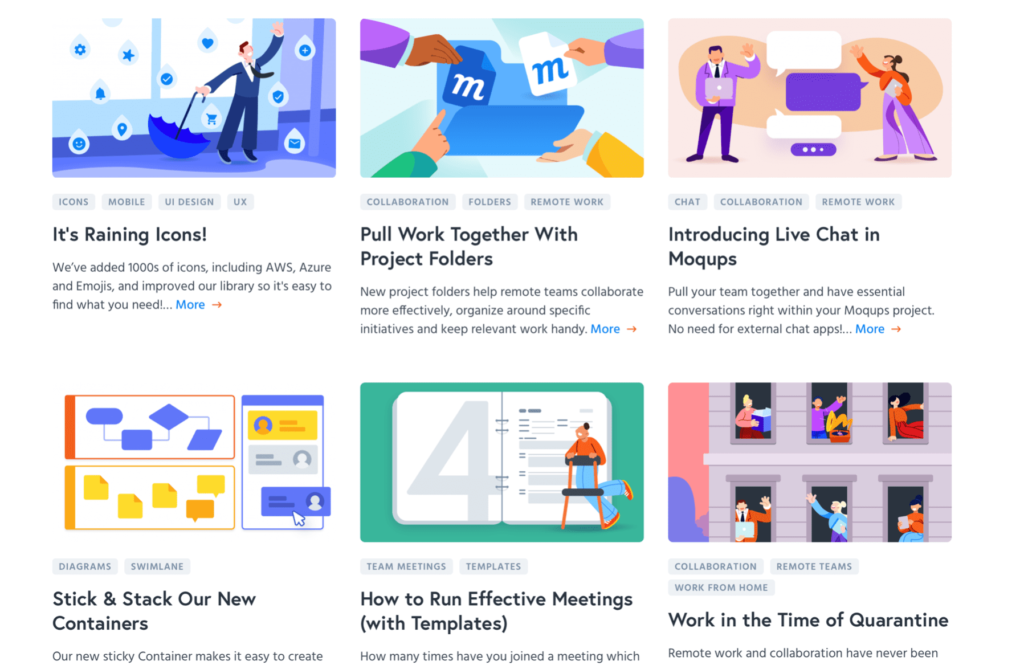
The platform has resources and materials that are more helpful than you can imagine. Moqups has a blog with informative articles on topics like the difference between low and high-fidelity wireframes, the multiple teams feature, project folders, the usage, stick and stack containers, live chats in Moqups, and more.
Moqups teaches you all about the platform without subscribing or creating an account. You can understand how to run effective meetings to landing page templates before you buy.
Extensions, Add-Ons, and Integrations
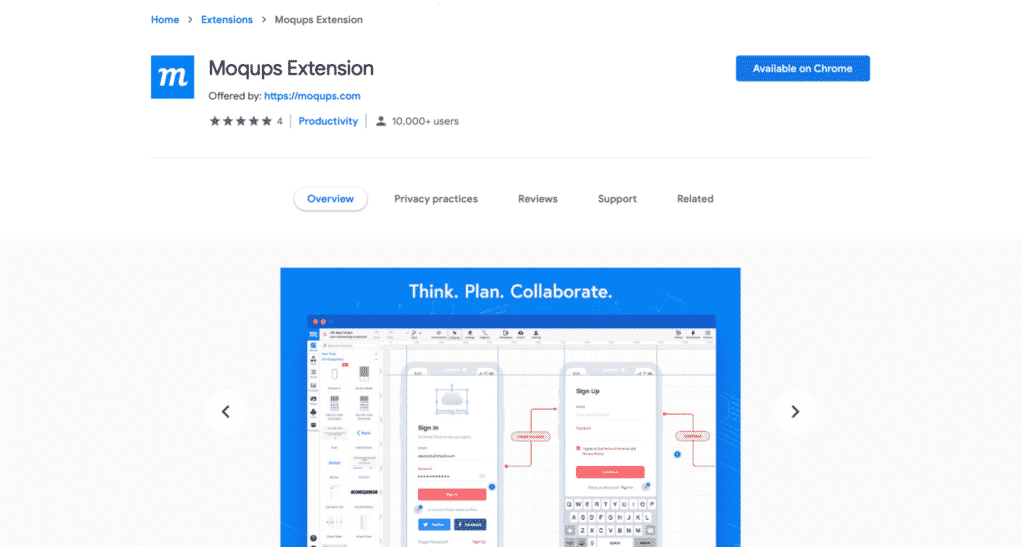
Moqups has a Chrome extension to capture screenshots, create projects, and use a color selection tool. You can save the screenshots to your device and make a mood board.
This program comes with a Firefox add-on. It offers the same features as the Chrome version: taking screenshots, enabling eyedroppers, and seamlessly creating projects.
Lastly, Moqups has a powerful set of integrations that help you connect to several other platforms and make your work simpler, quicker, and easier.
These integrations include but are not limited to Jira Cloud, Confluence server, Jira server, Confluence Cloud, Google Drive, Dropbox, Slack, and many more. All these have benefits and improve your design game with quick response time and overall excellence.
The following steps will show you the apps and integrations tab on the Moqups platform:
- Click on the account menu in the top right corner of the app’s toolbar.
- Select account settings and open the accounts setting window in the platform’s dashboard.
- Select the apps and notifications tab.
- Here, you will find all the available integrations in one click.
Support
Moqups has a powerful support group that is always available. Enter your issue into their form, and they will reply promptly. You can add pictures of your problem as well. All in all, their support executives are patient and keen to help you use the platform.
Moqups Pricing Plans
Moqups offers a free plan and three paid tiers. Annual subscriptions save up to 33 %; monthly prices are listed in the table below.
| Plan | Monthly Rate (USD) | Seats | Projects/Objects | Storage | Notable Features |
| Free | $0 | 1 seat | 2 projects / 400 objects | 25 MB | Try before you buy; includes basic templates, drag-and-drop stencils, and annotations. |
| Solo | $12 monthly ($8/month billed annually) | 1 seat | Unlimited projects & objects | Unlimited | Adds PDF/PNG export and view-only guests. |
| Team | $30 monthly ($20/month billed annually) | 5 seats | Unlimited | Unlimited | Includes real-time collaboration, roles & permissions, and SAML single sign-on. |
| Unlimited | $89 monthly ($67/month billed annually) | Unlimited seats | Unlimited | Unlimited | Adds unlimited teams, SCIM provisioning, and enhanced access controls. |
All plans include drag-and-drop editing, access to icon libraries, template imports, Google Drive export, Slack notifications, and Dropbox integration. Paid plans unlock PDF and PNG export and allow you to download offline HTML viewers.
Moqups Alternatives
Now, I will provide you with three Moqups alternatives:
Balsamiq
Balsamiq focuses on low-fidelity wireframing with a hand-sketch aesthetic that keeps things simple and fast. It’s ideal for early-stage UI layout, brainstorming, and collaborating with non-design stakeholders. You’ll find a short learning curve, drag-and-drop controls, and minimal distractions. While it doesn’t aim for high-fidelity prototypes, its strength is rapid idea visualization and alignment.
MockFlow
MockFlow is a cloud-based wireframing and UI design platform that supports quick sketching through to higher-fidelity layouts. It includes a rich set of templates, built-in components, and collaborative features that suit teams working on wireframes, mockups, and simple prototypes. If you want something more than bare wireframes but less heavy than full-scale prototyping tools, MockFlow hits that middle zone.
Miro
Miro started as a virtual whiteboard but has grown into a full-blown collaborative workspace that supports wireframes, flowcharts, diagrams, and design sessions. It shines when teams are remote or hybrid and want live collaboration, brainstorming, and real-time feedback. If your workflow spans ideation, mapping, and wireframing rather than pure UI design, Miro offers flexibility.
FAQs
Q1. Is Moqups free?
The platform offers a free plan with two projects and 400 objects, so you can test features before subscribing.
Q2. How many people can collaborate on a Solo plan?
The Solo plan includes one editor seat but lets you invite unlimited view-only guests and reviewers.
Q3. Does Moqups work on mobile devices?
Yes. Moqups is web-based and provides apps for iPhone and Android, so you can edit and view projects on the go.
Q4. What integrations are available?
Moqups integrates with Google Drive, Dropbox, Trello, Slack, and Jira. These connections allow you to import files, share links, and receive notifications.
Conclusion
Moqups has matured into a powerful yet accessible design platform. With a generous icon library, continuous feature updates, and integrations with popular tools, it’s ideal for teams that value visual collaboration. The updated pricing structure remains competitive, and the free plan lets newcomers test the waters. In a world where hybrid work is becoming the norm, tools that keep ideas flowing across distances are invaluable.
If you need a simple way to sketch, iterate, and share designs without juggling multiple applications, Moqups is worth considering. Give the free version a try and see if it fits your workflow – and share your experience in the comments.
Disclosure: Some links above are affiliate links, and I will earn a commission if you purchase after clicking. Please understand that I recommend these resources because they are useful, not because of my commissions. Please do not purchase unless you feel that the materials will help you achieve your goals. Thank you for your support.

I am Mohammad Fahad Usmani, B.E. PMP, PMI-RMP. I have been blogging on project management topics since 2011. To date, thousands of professionals have passed the PMP exam using my resources.